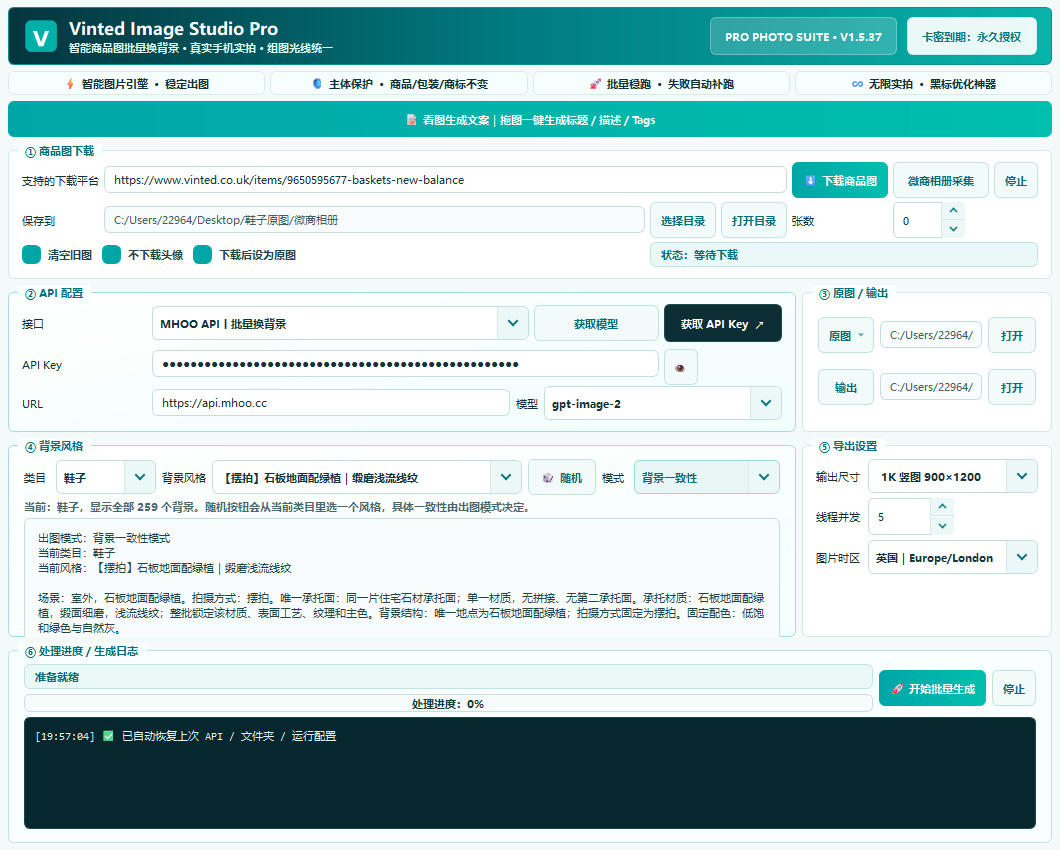
01One collection workflow
Scattered sources
Vinted, Xianyu, WeChat Album and Yupoo keep product images and details in separate tabs.
THE IMAGE WORKBENCH FOR VINTED SELLERS
Collect from Vinted, Xianyu, Xiaohongshu, Yupoo and WeChat Album, then generate Vinted-ready lifestyle assets, retry failures and create listing copy in one Windows workbench.
Vinted Image Studio Pro is a Windows product-image workflow for Vinted sellers: collect fashion, footwear and accessory photos from Vinted, Xianyu, Xiaohongshu, Yupoo and WeChat Album, batch-edit scenes, preserve detail and prepare multilingual listing assets.
SELLERS LOSE TIME HERE
Images are scattered across platforms, product sets look inconsistent, failed jobs force a full rerun, and every listing still needs fresh copy.
Vinted, Xianyu, WeChat Album and Yupoo keep product images and details in separate tabs.
Mixed light, backgrounds and framing make a shop feel less coherent when buyers scroll.
One network or image failure can waste the entire batch and the time behind it.
Titles, descriptions, tags and notes still have to be written after the images are done.
REAL RESULT
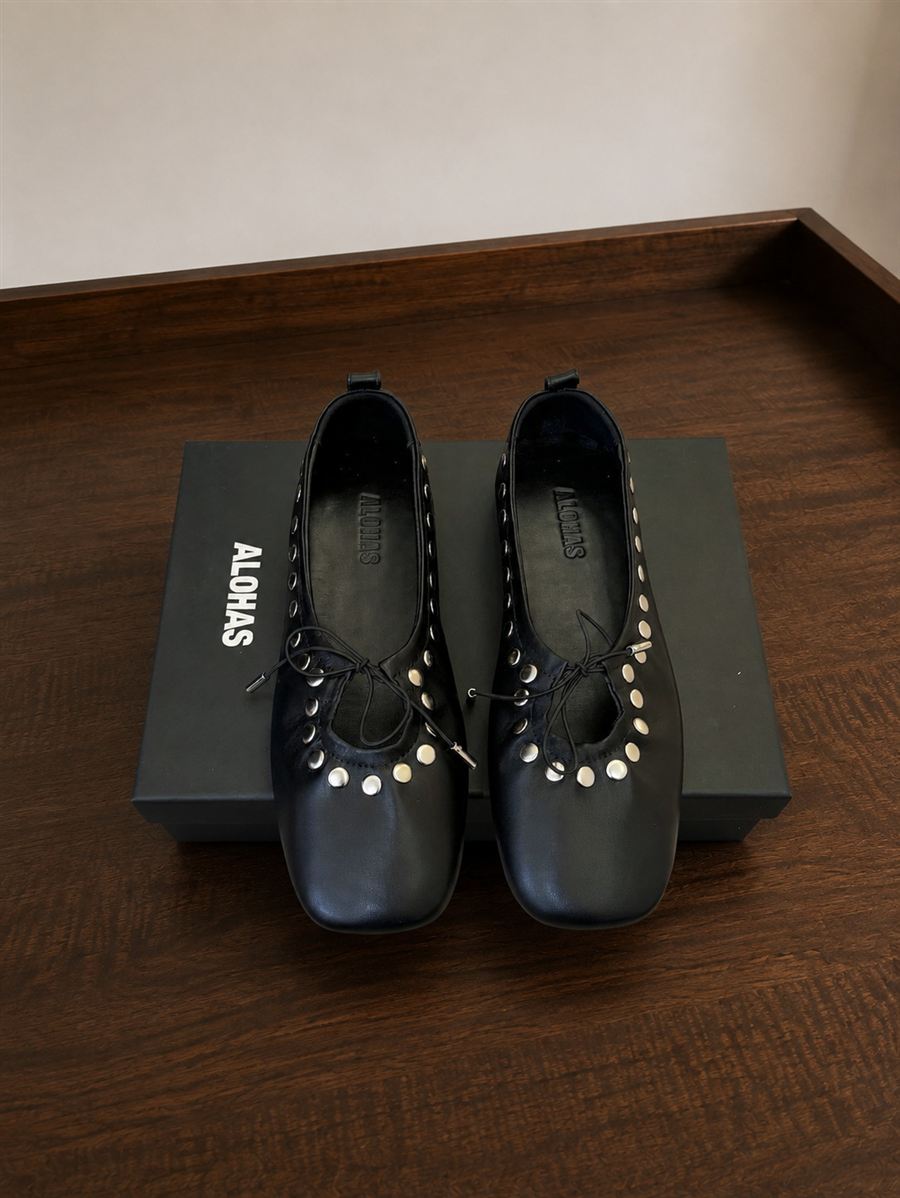
Your photos of the same product are used here. Drag the divider to inspect background, light and product detail.
↔ Drag the divider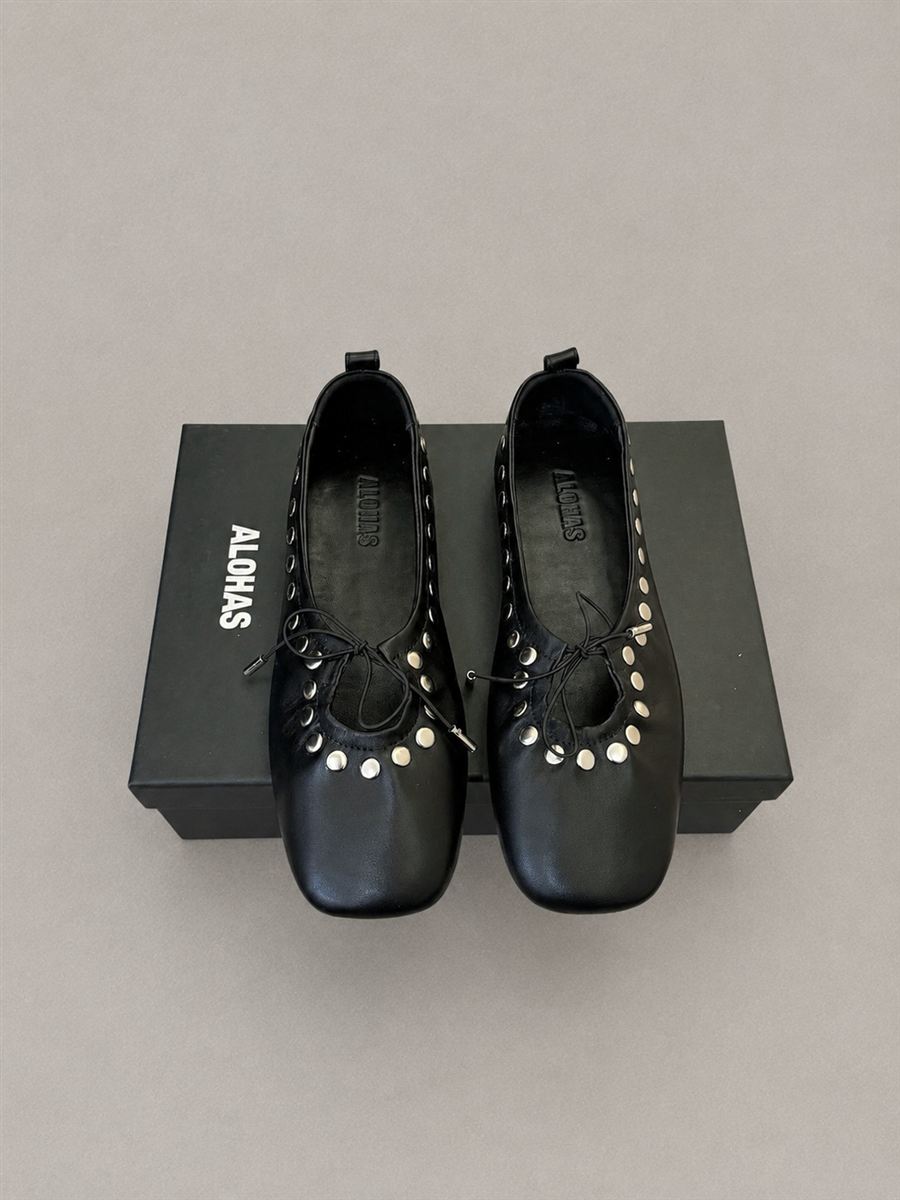
SOFTWARE CAPABILITIES
More than a background switcher: collect, organize, generate, review and prepare every listing in a repeatable path.
Collect from Vinted, Xianyu, Xiaohongshu, Yupoo and WeChat Album, then use the results as source images.
Process a complete product set while preserving angles, shape, materials and visible detail.
Choose conservative matching, lifestyle backgrounds, custom prompts or a reference image.
Rerun only failed images instead of spending the whole batch again.
Generate Vinted titles, descriptions, tags and notes from product photos in three languages.
Keep inputs, finished assets and batch records organized, with EXIF/C2PA metadata support.
TECHNICAL PATH
The workbench turns repetitive operations into a reusable chain: traceable inputs, switchable strategies, targeted retries and cleaner API usage.
Import folders or drag and drop. Sources, working files and finished assets stay separated.
Use product shape, proportions, materials and visible structure as constraints against over-editing.
Choose conservative matching, lifestyle, custom prompts or a reference image for the whole set.
Queue images, track progress and see the current batch state while you prepare a launch.
Retry only network or image failures while keeping successful outputs and avoiding waste.
Keep exports, batch history and EXIF/C2PA handling organized for a final check.
WORKFLOW COMPARISON
A neutral comparison of common workflow capabilities. Results still depend on source quality, model, API and platform rules.
| Workflow | Traditional editor | Online AI tool | Background remover | Image Studio Pro |
|---|---|---|---|---|
| Multi-platform collection | — | Partial | — | Vinted, Xianyu, Xiaohongshu, Yupoo and WeChat Album |
| Batch product sets | Limited | Usually upload-based | Limited | Queue by product set |
| Product detail preservation | Manual | Model-dependent | Foreground only | Shape, material and proportion guardrails |
| Custom / reference scenes | Manual composite | Prompt-led | Not supported | Strategy, prompt and reference image |
| Retry failed items | Redo manually | Resubmit | Redo manually | Retry only failures |
| Listing copy from images | Not included | Separate tool | Not included | Titles, descriptions, tags and notes in EN / FR / ZH |
| Source / output / batch history | Scattered | Platform-dependent | Scattered | Separated folders and history |
A CLEAR PRODUCTION PATH
Choose one or more product folders
Match the strategy to the product set
Track queue status and progress live
Retry failures and export final assets
WINDOWS RELEASES
A verified timeline of published Windows desktop releases. The current stable version is v1.5.37.
SELLER FEEDBACK
“Batch import removes tool switching, and failed images are easy to find.”
“Background and lighting stay much more consistent across a footwear listing.”
“Keeping photos and listing copy together removes repetitive daily work.”
FLEXIBLE LICENSING
Every license is checked by the server. A valid key opens the protected download flow.
Purchase a licenseProcess one urgent batch
Buy a licenseComplete a focused launch
Buy a licenseFor consistent sellers
Buy a licenseBetter long-term value
Buy a licenseOne purchase, long-term use
Buy a licenseYes. The current release is a Windows desktop application for Vinted product images, listing photos and complete product sets.
The address is protected and returned only after the server confirms an active purchased license.
No. An expired license needs renewal or a new active license before the protected installer can be returned.
The workflow is designed to preserve real angles, proportions, materials and visible details while improving listing-photo consistency.
SECURE DOWNLOAD
The frontend never stores or displays the installer address. After validation, the server returns a one-time download entry.